The Anker 13-in-1 Nano Docking Station: A Detachable Hub Reality Check
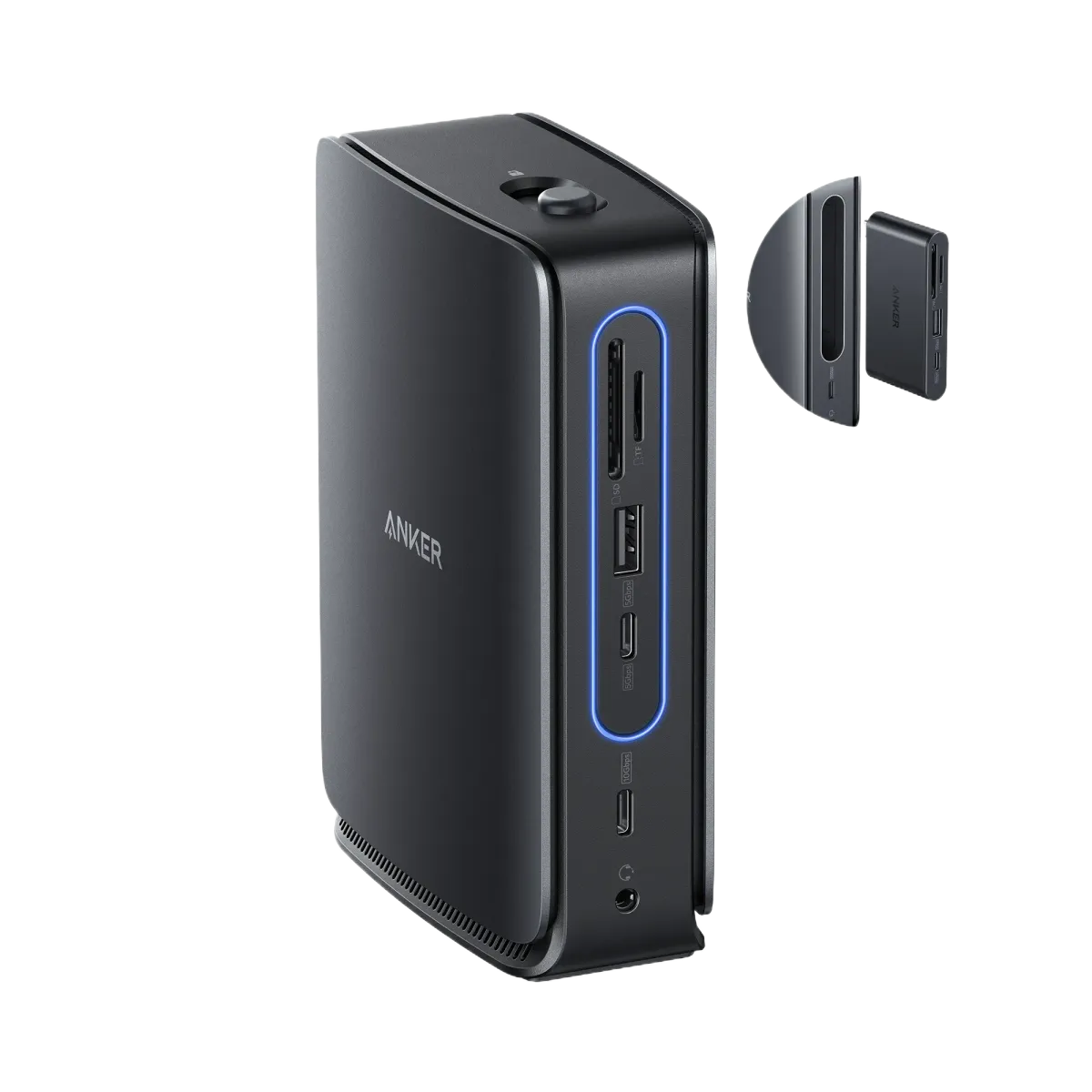
USB-C docking stations promise to transform how we work, but the reality often falls short when you're juggling multiple monitors, charging needs, and portability requirements. Owners who've integrated the Anker 13-in-1 Nano Docking Station into their daily routines report a device that tackles these challenges with a genuinely innovative approach: a removable hub that splits into two functional pieces.
What Users Actually Experience When They Unbox It
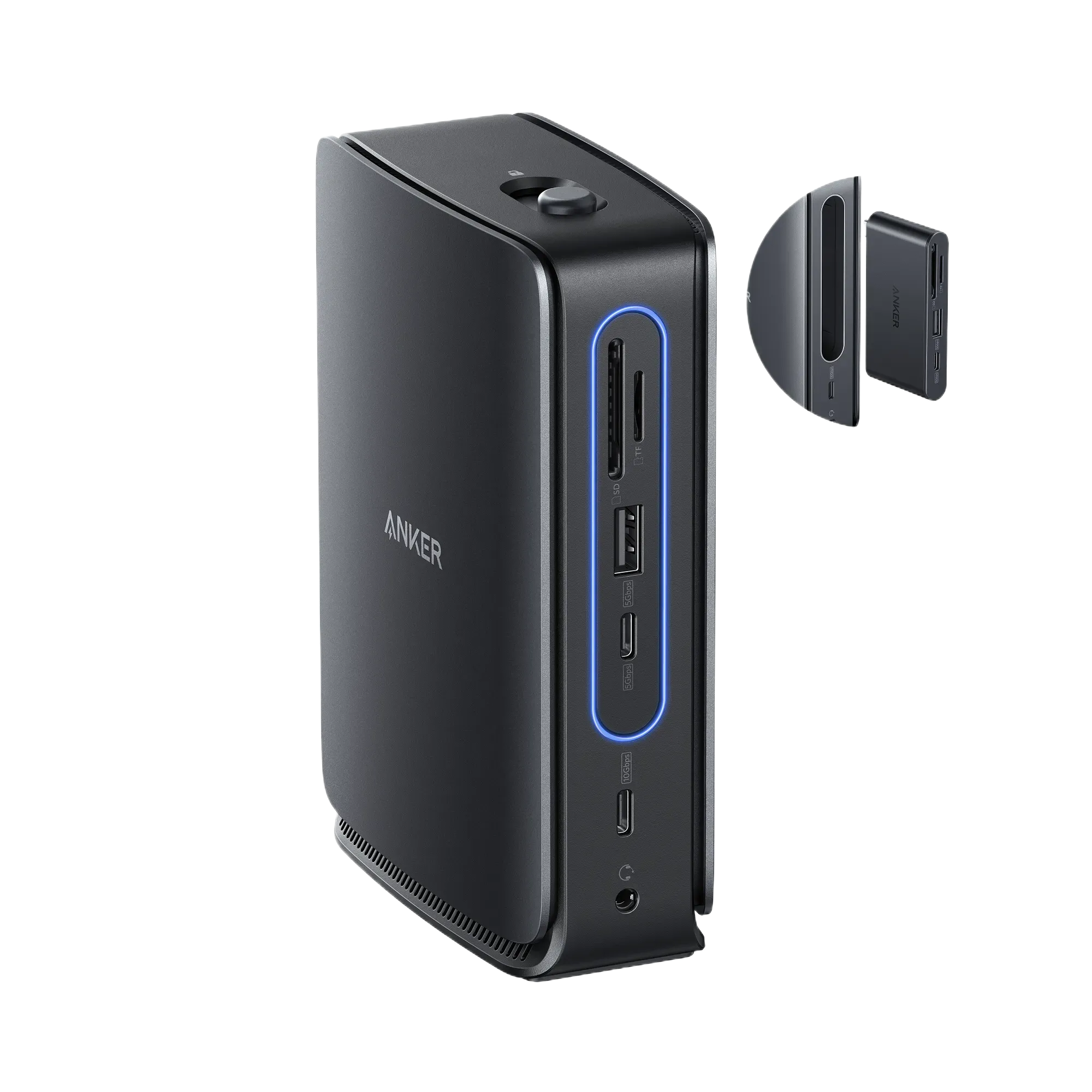
Initial reactions from buyers center on the physical construction. The main dock unit feels substantial at roughly 400 grams, with a dense, compact build that immediately signals quality engineering. Several users mention the textured surface looks premium but attracts dust and fingerprints faster than they expected. The magnetic connection between the main dock and removable hub earns consistent praise for its satisfying snap, though some owners worry about long-term wear on the connector pins.
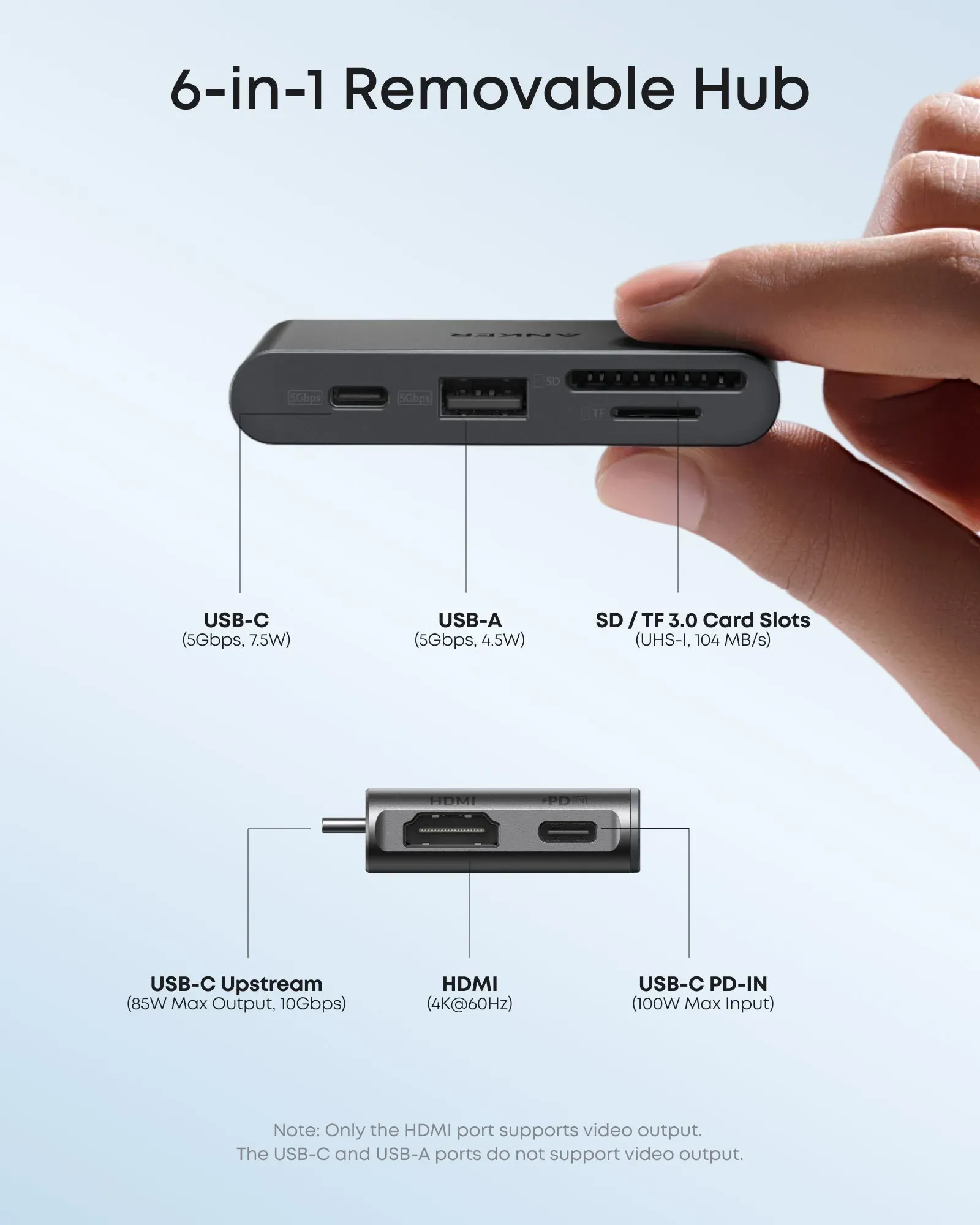
The detachable hub concept resonates strongly with mobile professionals. Users who switch between desk setups and travel report they can leave the heavier main unit connected at home or office, then grab just the lightweight hub for coffee shop work sessions. The hub itself includes two HDMI ports, a USB-C port, USB-A, and SD/TF card readers - essentials for photographers and content creators on the move.
The Setup Reality That First-Time Buyers Encounter
Getting everything working reveals some user-reported quirks. Mac owners find triple-display setups require careful configuration since macOS mirrors outputs by default, while Windows users get independent displays more easily. The included USB-C cable - while high-quality - feels restrictive at its length, forcing some users to reposition their laptop or purchase an extension.
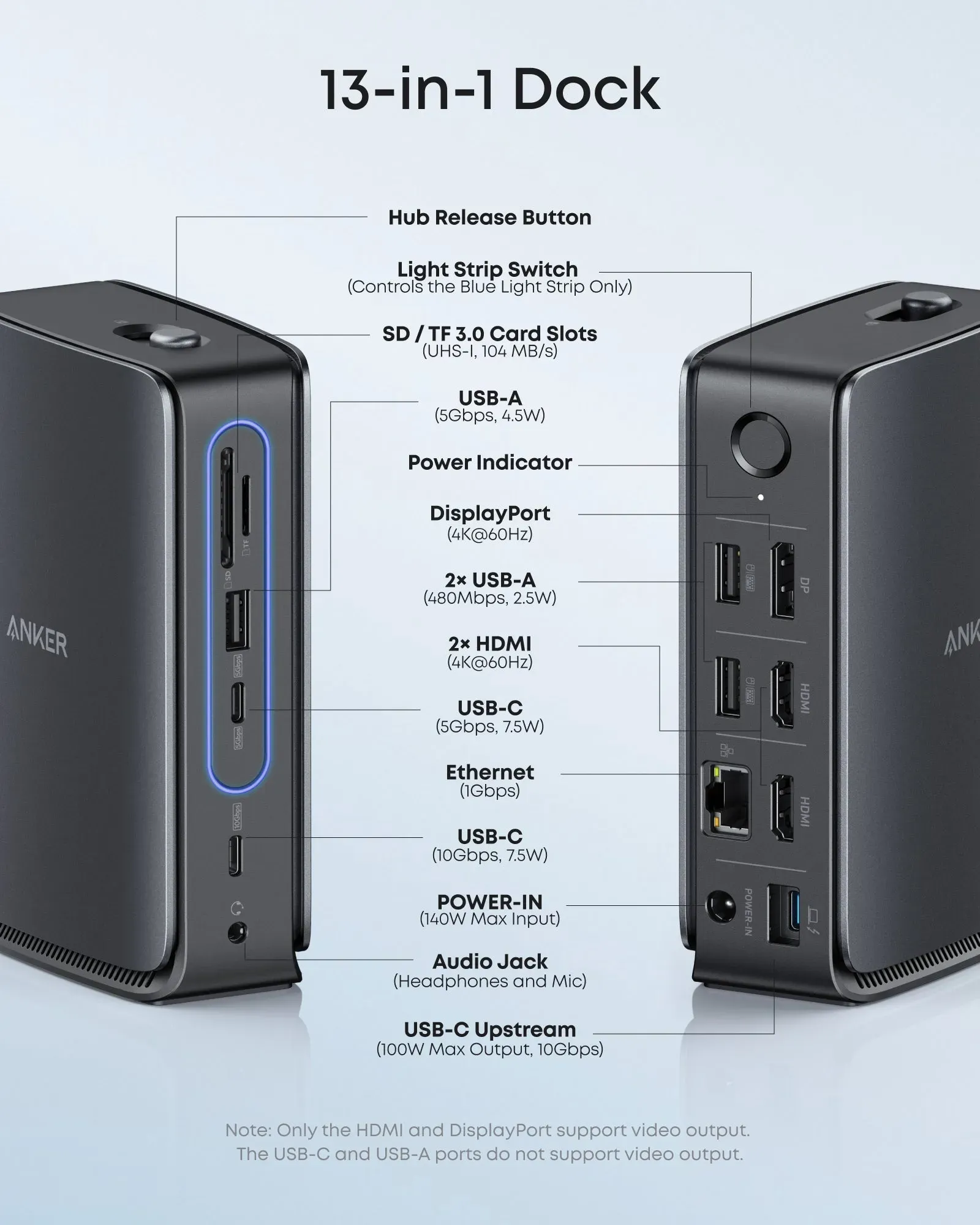
Power delivery performs as advertised, with owners confirming stable 100W charging for demanding laptops like the MacBook Pro 16-inch. However, a common discovery emerges when users plug in multiple devices: the dedicated charging USB-C port (100W) is separate from the data USB-C ports, which means users need to understand which port serves which purpose. One buyer described it as "looking like a cable management puzzle at first, but logical once you map it out."
Performance Issues That Surface After Weekly Use
Most reliability concerns cluster around the moving parts. Retractable cable mechanisms in Anker's other Nano products have generated durability questions in user discussions, and owners of this dock watch the removable hub connection point carefully. Early adopters haven't reported widespread failures, but there's a collective sense that the magnetic connector's longevity remains unproven.
Port power allocation creates another learning curve. The USB-A ports on the main dock operate at 480Mbps with limited power output, while the hub's USB-A ports run at 5Gbps. Users trying to power external SSDs through the wrong port experience slower speeds than expected. One photographer mentioned needing to reorganize which devices plug where based on speed and power needs - a minor inconvenience but one that requires reading the manual.
The compact design also means heat buildup during intensive use. Owners running triple 4K displays and charging simultaneously report the unit gets warm but not hot enough to trigger safety shutdowns. Still, some users have positioned it with extra airflow space as a precaution.
Hidden Advantages That Users Only Discover Through Actual Use
A standout feature that catches owners off-guard involves the hub's standalone utility. Photographers frequently mention how the detachable hub's SD/TF card slots and USB-C port become invaluable when transferring photos directly from camera cards to a portable SSD in the field. The fact that the hub works independently without the main dock surprises many buyers who initially saw it as just a portability feature.
The Ethernet port - often overlooked in product listings - gets praised by users who've replaced their USB-to-Ethernet dongles. Connection stability and speeds matching wired desktop setups make this a quiet hero feature for remote workers with unreliable Wi-Fi.
Another unexpected positive involves cable management. The detachable design means users can run just one cable to their laptop when mobile, reducing the typical "cable spaghetti" that plagues most docking setups. This clean aesthetic appears repeatedly in user feedback from people who regularly work in client-facing environments.
The Value Equation According to Current Owners
At $149.99 (frequently discounted to $109.99-$119.99), owners frame the cost in terms of what it replaces. The triple-display support alone would require a $50-80 DisplayLink adapter for many laptops. Add a quality USB-C hub ($40-60), a 100W charger ($30-50), and an Ethernet adapter ($15-25), and the total approaches the dock's price.
However, budget-conscious users point out that you can find cheaper docks that do similar things, just not with the removable hub innovation. The question becomes whether that specific feature justifies the premium. For mobile professionals who genuinely use the hub separately multiple times per week, the answer leans yes. For those staying put at a desk, many suggest skipping the extra cost.
Budget-conscious buyers also mention waiting for sales. The frequent discounts from Anker's site and retailers make the $109.99 price point feel like the "real" MSRP to many users, suggesting the $149.99 tag exists mainly to create sale opportunities.
Who Should Actually Buy This (According to User Experiences)
Mobile professionals and creative workers emerge as the clear winners in user discussions. The hub's ability to function independently for photo transfers, display connectivity, and charging makes it uniquely valuable for photographers, video editors, and consultants who split time between locations.
Conversely, stationary users report mixed satisfaction. Desktop workers who never detach the hub suggest considering simpler, cheaper alternatives that don't pay for the removable feature. Users with basic needs - one external monitor, a few USB peripherals - find the 13-in-1 overkill and recommend looking at 7-in-1 or 9-in-1 options instead.
Laptop users with limited USB-C ports (older machines with only one or two) benefit most from the consolidation. But those with modern laptops boasting multiple USB-C ports sometimes question if they needed such an extensive dock at all.
The final user consensus forms around honest self-assessment: If you'll never remove the hub from the main dock, the novelty doesn't justify the price. But if your workflow involves switching between desktop and mobile setups multiple times weekly, this solves problems no other dock addresses.
This analysis is based on extensive user feedback and owner experiences from online communities, analyzed by TrueViewHub in January 2026. We specialize in aggregating real user perspectives to reveal what products are truly like beyond manufacturer marketing. Our methodology prioritizes actual owner experiences over promotional content.