Anker Nano Docking Station: What Owners Really Think After Weeks of Use
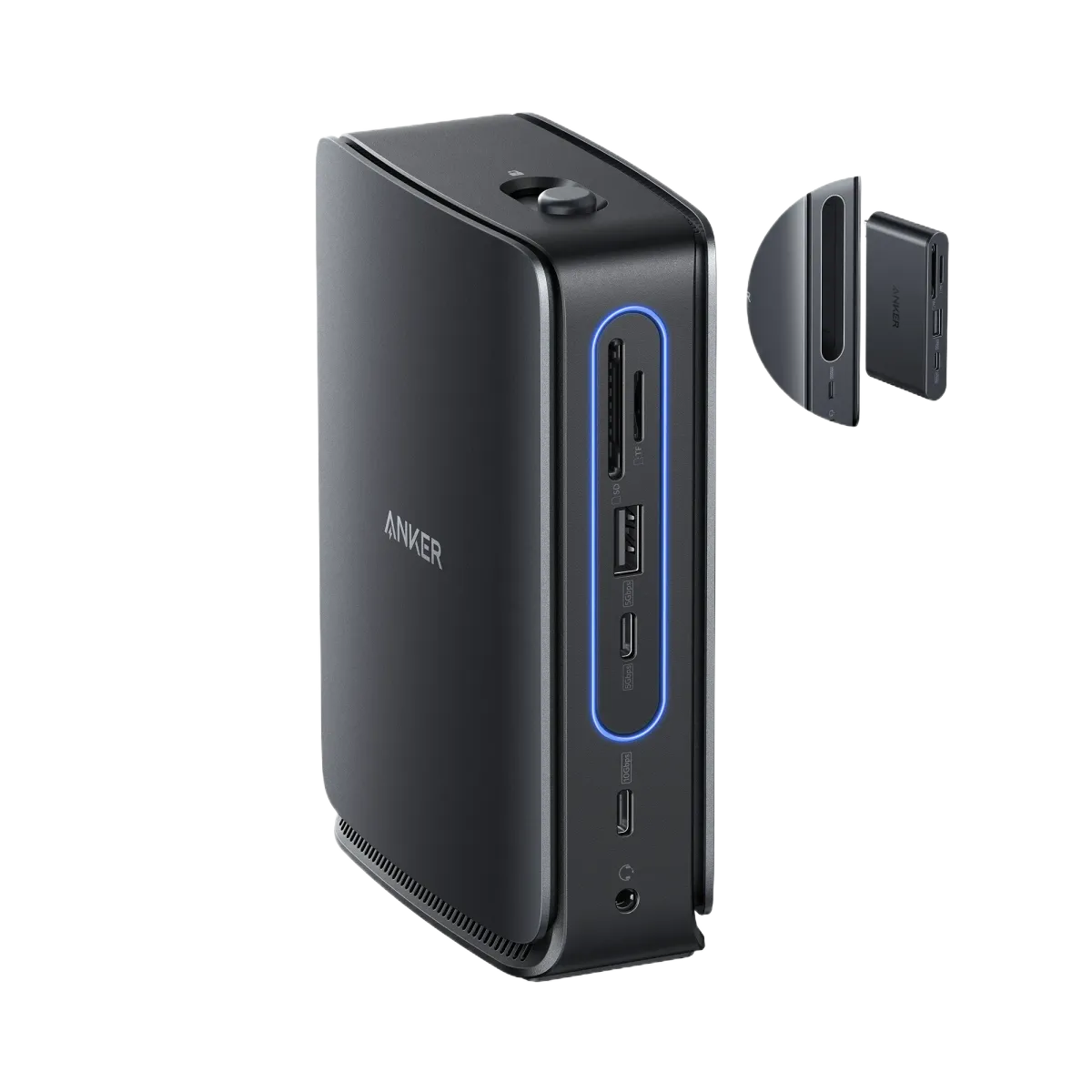
Real owners of the Anker 13-in-1 Nano Docking Station are revealing unexpected truths about this popular USB-C dock that marketing doesn't show. While the removable 6-in-1 hub and triple display support sound impressive on paper, actual buyers are discovering significant limitations and surprising benefits that become clear only after daily use.
The Removable Hub Reality
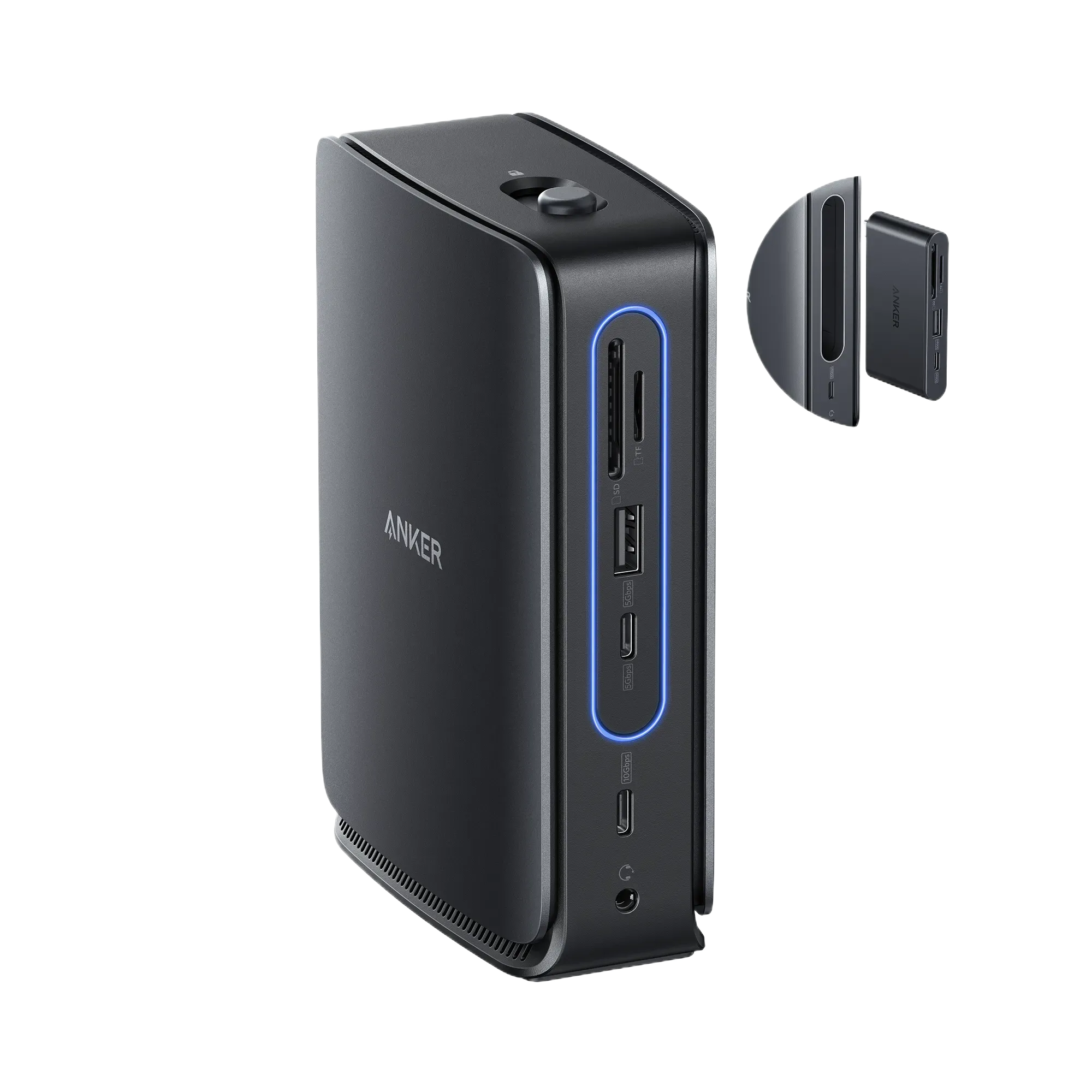
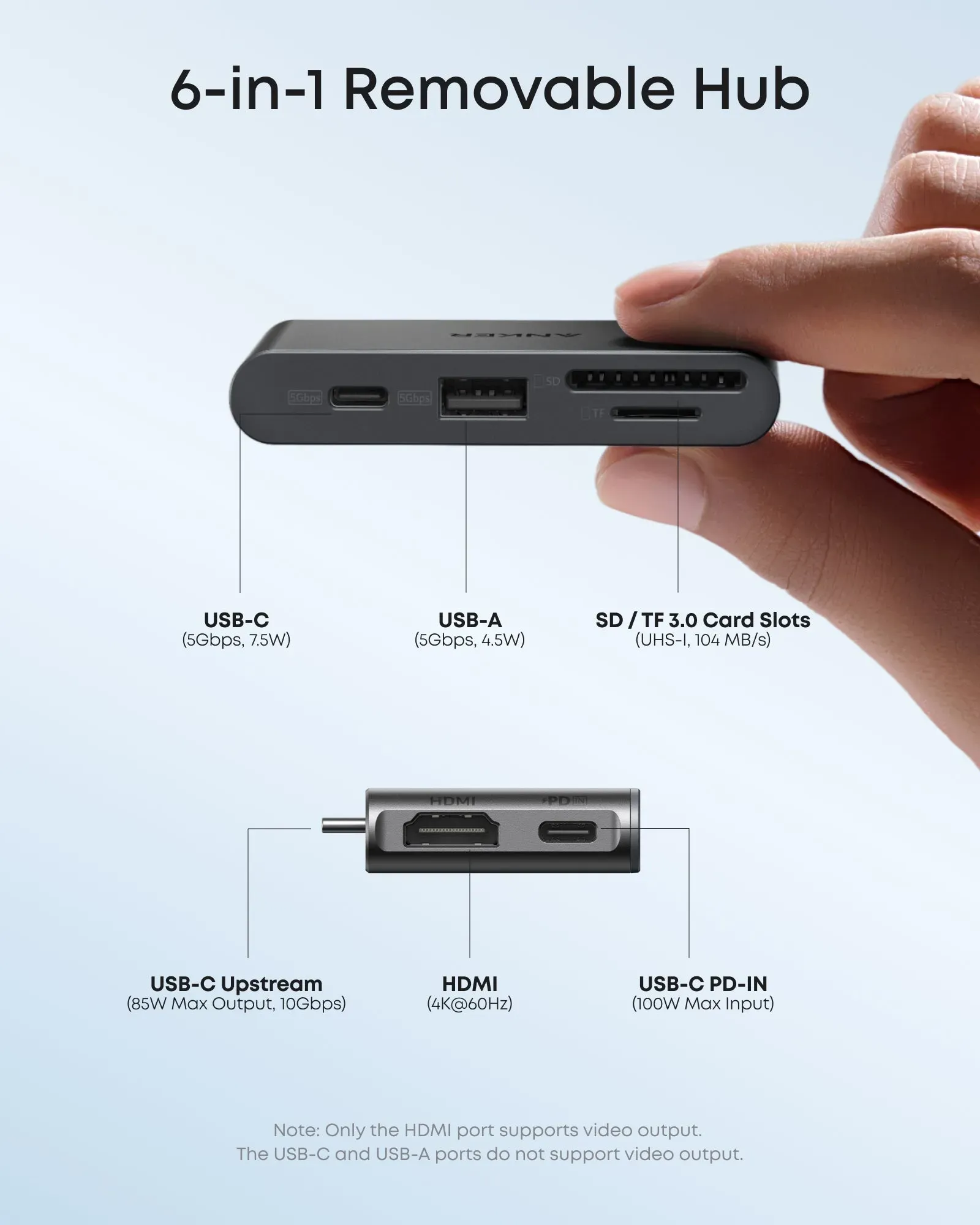
Owners consistently praise the detachable 6-in-1 hub as the standout feature, allowing seamless transitions between desktop and mobile setups without recabling. Users report that the hub's compact, credit-card-sized design (3.15 x 1.65 inches, 1.27 oz) creates a genuinely portable solution for those who need both workstation and mobile configurations. Many buyers highlight how the hub's top release button makes detachment easy, with a satisfying click when reinserted.
Display Disappointment vs Reality
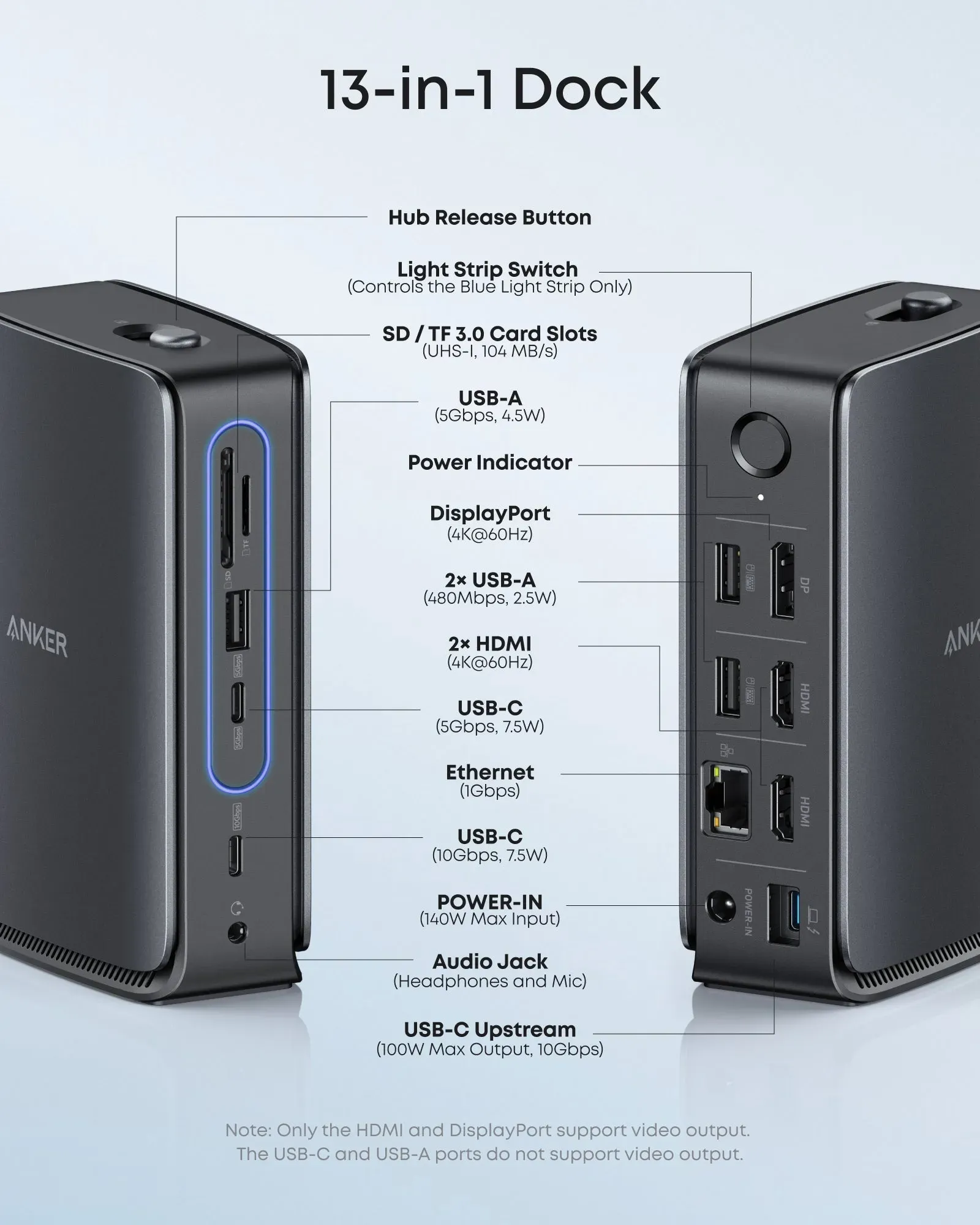
What buyers find most surprising is the gap between marketing claims and actual display performance. Users consistently report that while the dock supports triple displays, HDMI is capped at 30Hz instead of the advertised 60Hz on many systems. This becomes particularly frustrating for AMD laptop owners running Wayland, who experience display corruption when attempting dual 4K@60Hz monitor setups.
Mac users discover another limitation: the dock only supports Single-Stream Transport (SST), meaning all external displays mirror identically rather than providing independent extended desktops. Owners who expected triple 4K@60Hz workspaces are disappointed to find that macOS/iPadOS restrict functionality to mirrored screens only.
USB Port Confusion
A surprising discovery for many owners is that the dock contains two separate USB hubs with different capabilities. One USB hub operates at USB 2.0 speeds (480Mbps) despite being marked for keyboard and mouse use, while another supports faster 5Gbps speeds. Users report stumbling upon this limitation when transferring larger files, discovering unexpectedly slow speeds on certain ports that aren't clearly differentiated in marketing materials.
Apple M1/M-Series Mac Issues
Owners of Apple Silicon Macs report particularly frustrating experiences. Users must power cycle the dock each time after shutdown or sleep for HDMI monitors to detect properly. This issue persists across multiple docks, cables, and monitors but doesn't occur on Intel Macs or unpowered USB-C HDMI adapters.
The problem becomes more complex when using the 60W power adapter - adding power triggers signal loss until reset, suggesting a firmware or Power Delivery handshake defect specific to M1 configurations. Even after safe mode resets, S/NVRAM resets, and creating new user accounts, owners find this display detection issue remains unresolved.
Build Quality and Physical Experience
Initial impressions from owners describe a solid, compact build with a sleek light strip that creates a modern workspace aesthetic. The removable hub feels well-constructed for portability, with no widespread reports of physical wear despite regular detachment and reattachment. Many users express trust in Anker's general reliability after previous bad experiences with other docking station brands.
However, some owners mention heat generation during extended use, particularly when running multiple displays and charging simultaneously. While not debilitating, the warming effect becomes noticeable during intensive work sessions and raises concerns about long-term durability under heavy loads.
Linux Support Challenges
Linux users report rocky initial setup experiences due to lack of explicit support and non-standard firmware updaters. While the dock functions without additional software, owners find that firmware updates (such as from v1.3.4 to v1.3.9) are difficult to apply on non-Windows systems. This creates a barrier for Linux users who expect more straightforward driver support in modern USB-C peripherals.
Performance Over Time
Owners who have used the dock for extended periods report reliable performance after initial setup tweaks. One Framework laptop user mentioned achieving stable USB charging and DisplayPort functionality across multiple devices, including Intel processors, Steam Deck, and Mac systems. However, consistent heating remains an ongoing concern during prolonged use sessions.
The Thunderbolt 4 bandwidth limitation to 10Gbps (far below native 40Gbps) also becomes apparent over time when using high-speed NVMe SSDs or other bandwidth-intensive peripherals. Owners discover this bottleneck only when attempting to maximize the dock's potential for data-intensive workflows.
Value Proposition: Who Should Buy It
Based on owner experiences, the Anker 13-in-1 Nano Docking Station works best for USB-C laptop users who prioritize the unique detachable hub feature and port variety as a budget alternative to pricier Thunderbolt docks. Owners who successfully get it working report satisfaction for mixed fixed/mobile workflows, particularly those using Windows or macOS systems.
However, the dock receives mixed recommendations. Owners suggest avoiding it if you prioritize HDMI 60Hz@4K performance, require full Linux support, or need standard firmware update tools. AMD Framework users specifically face risks of Wayland display corruption when attempting dual 4K@60Hz monitor setups.
The Final Verdict from Real Users
Overall owner satisfaction is positive but qualified. Most users express "fairly impressed" sentiments after getting the dock working reliably, but few would give it five stars due to the various support gaps and performance limitations. The consensus among buyers is that this dock delivers good value for its price point ($119.99-$149.99) but requires patience during setup and acceptance of certain compromises.
For buyers who need reliable multi-device charging and ports on compatible hardware and are tolerant of technical tweaks, the Anker Nano Docking Station can be a solid choice. However, those expecting plug-and-play performance with maximum display capabilities may want to consider alternatives or wait for firmware improvements that address the current limitations discovered by real owners.
This analysis is based on extensive user feedback and owner experiences from online communities, analyzed by TrueViewHub in January 2026. We specialize in aggregating real user perspectives to reveal what products are truly like beyond manufacturer marketing. Our methodology prioritizes actual owner experiences over promotional content.